🎬 Greenroom
Run browser checks. Watch them pass. Hand over a bug bundle.
Greenroom runs automated browser checks against a live web app and lets anyone read the results, with no coding required. Under the hood it wraps Playwright in a plain dashboard: point it at your site, say how to log in, pick one or several environments, click Run, and watch a live pass and fail checklist. When something breaks, one click produces a bundle a developer can replay, with the trace, video, screenshots, logs and a written summary. It runs two ways from one codebase: on your own machine, or as one shared instance a whole team signs into.
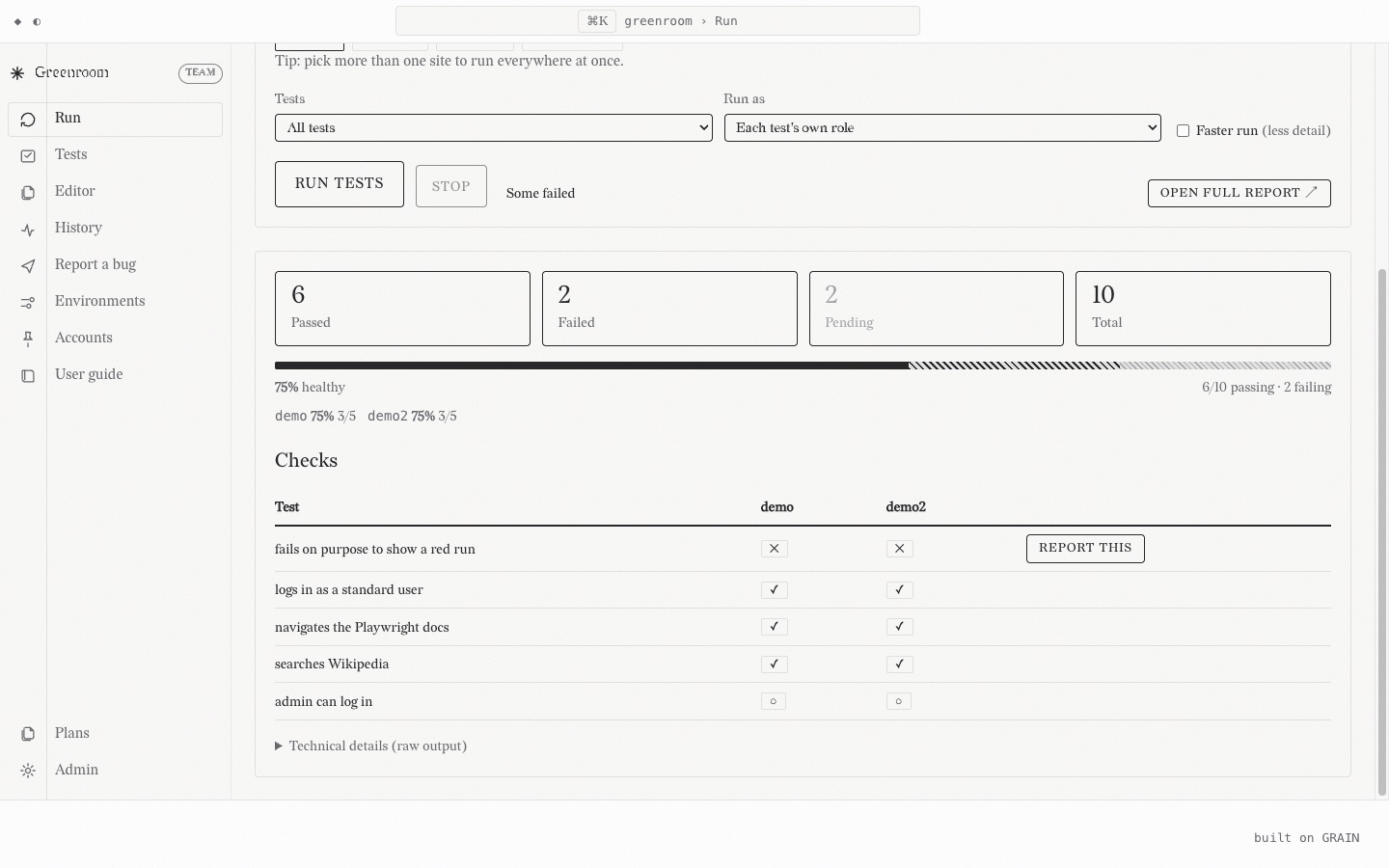
What it does
Run checks
Pick one environment or several, click Run, and watch the checklist fill in live. More than one environment turns the list into a check by environment matrix, with its own health reading per environment.
Keep them organised
Group by feature, tag in the title, set priority and owner. Smart filters find the failing, the flaky, the never run and the slowest, computed from real run history rather than guesswork.
Report a bug
One click builds a zip a developer can act on: Playwright trace, video, screenshot filmstrip, console and network logs, and a summary in plain language. Or export a single moment as a PDF.
Write checks without writing code
Record one by clicking through the site, and it wires in the login itself without ever putting a password in the file. Already have Playwright specs? It rewrites them to fit on the way in.
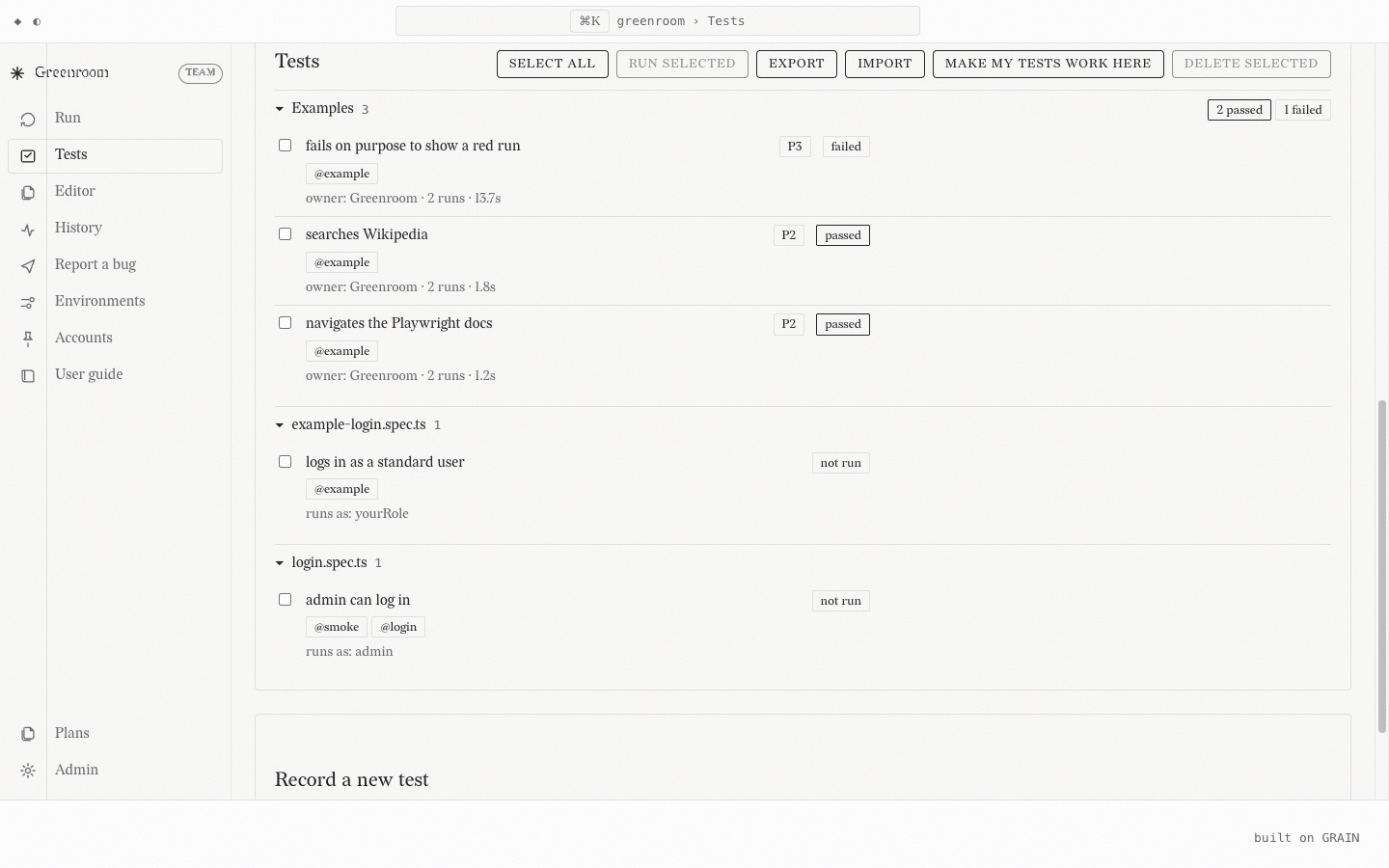
Handing a developer something they can act on
The handover is the part I care most about. A tester saying "the dashboard looked wrong" costs a developer an afternoon of guessing. So Greenroom captures the whole session while the check runs: a filmstrip of screenshots with timestamps, every console message, every network request, and Playwright's own trace. The bug page turns that into one download, and it can narrow the logs to the moment a chosen screenshot was taken, so the evidence arrives already pointed at the problem.
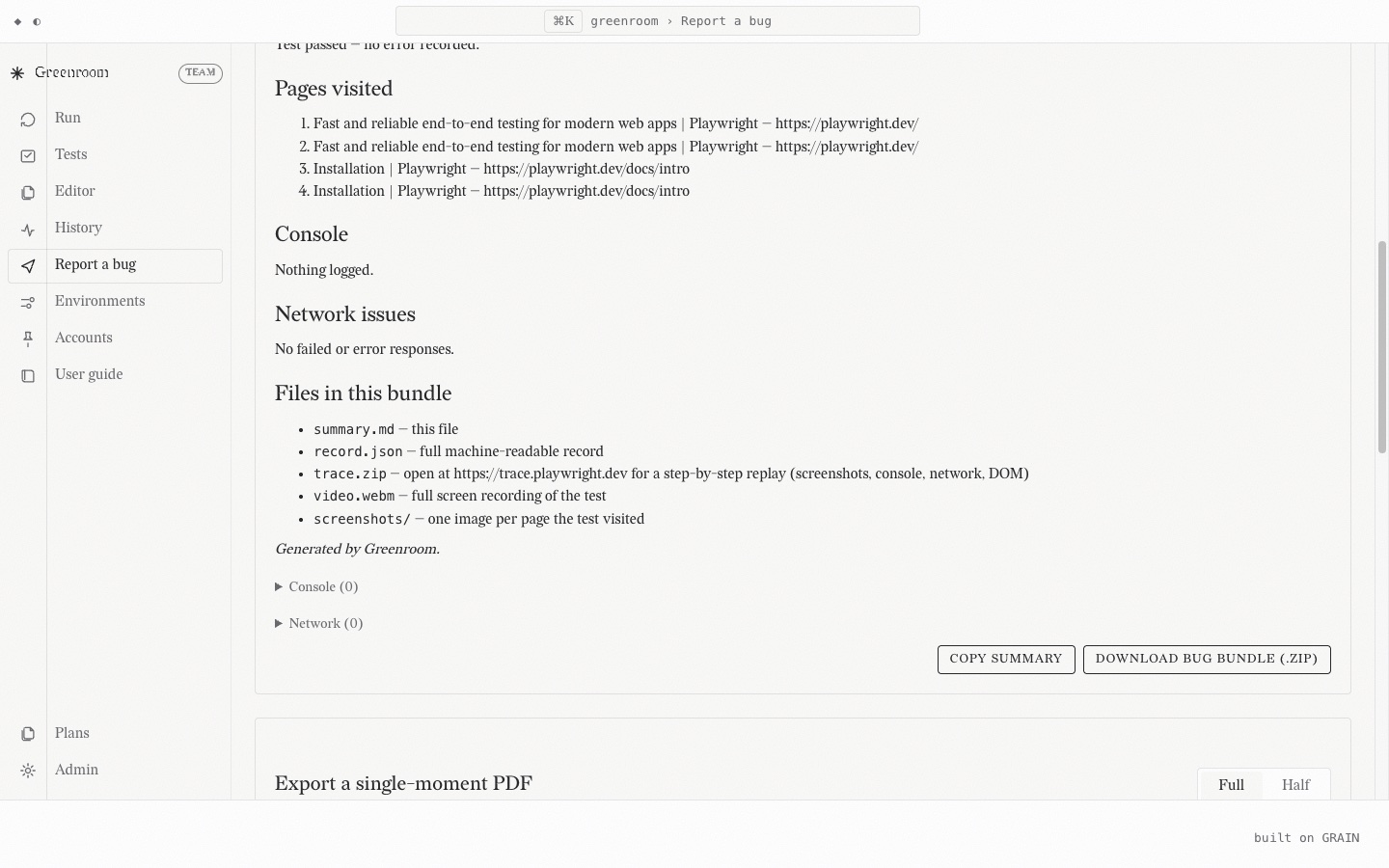
Editing a check in the browser
On a hosted instance nobody has the repo checked out, so the editor comes to them instead. It is a real code editor in the page, with syntax highlighting, inline errors, a button that compiles a check without running it, and a version history recording who changed what. Validation happens three times over: as you type, again when the server refuses to save a file that does not parse, and again when Playwright itself compiles it.
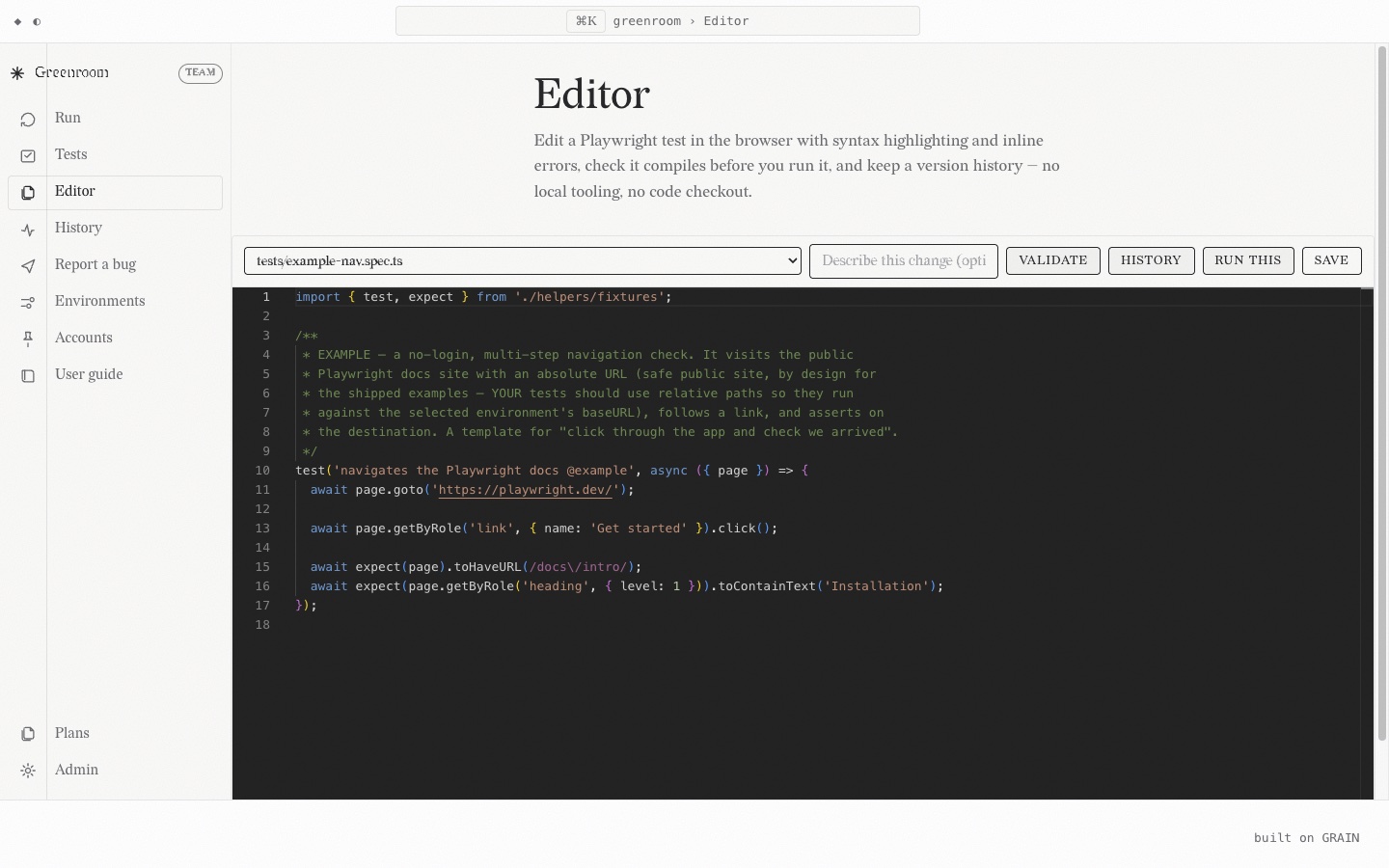
Two ways to run it, one codebase
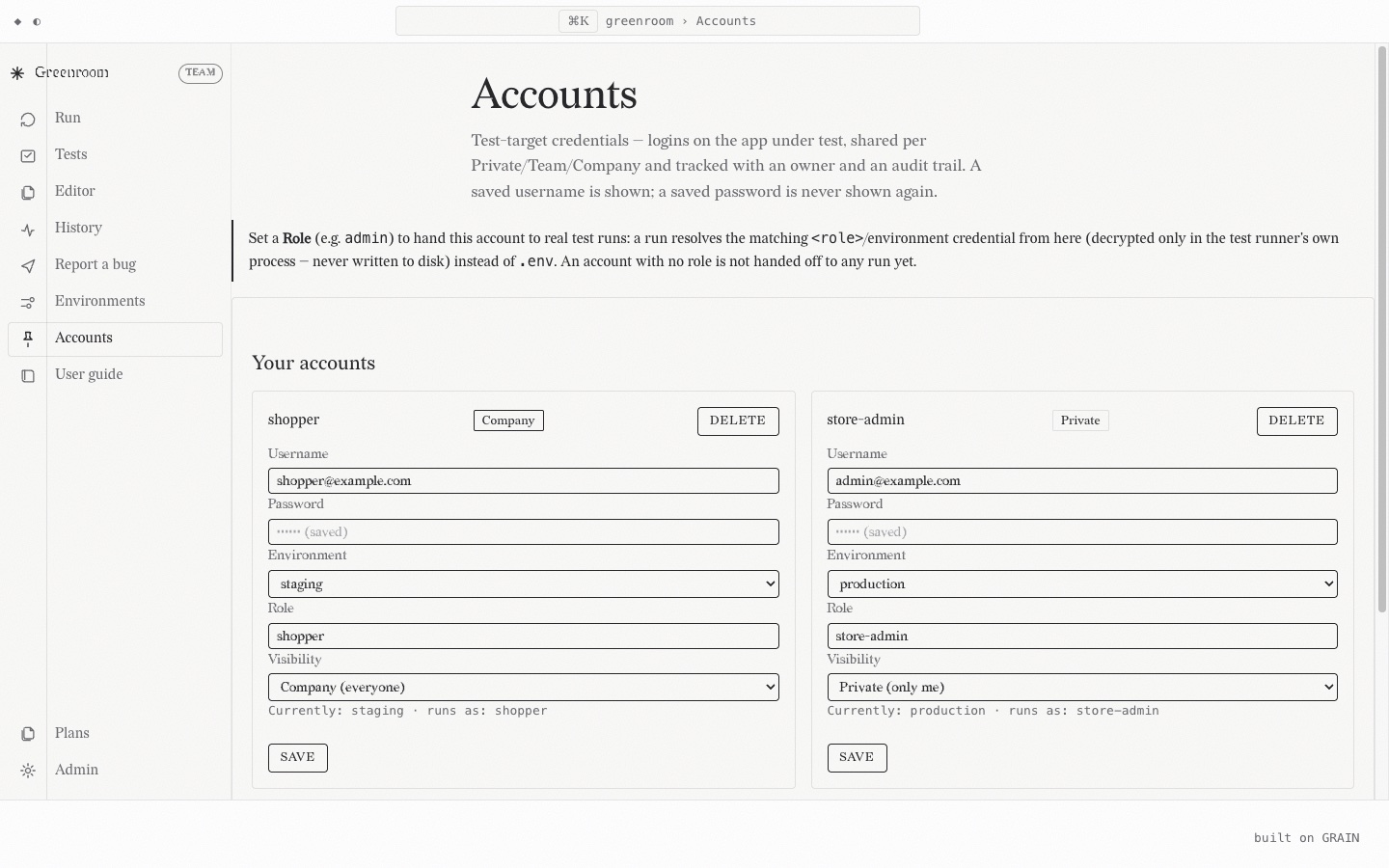
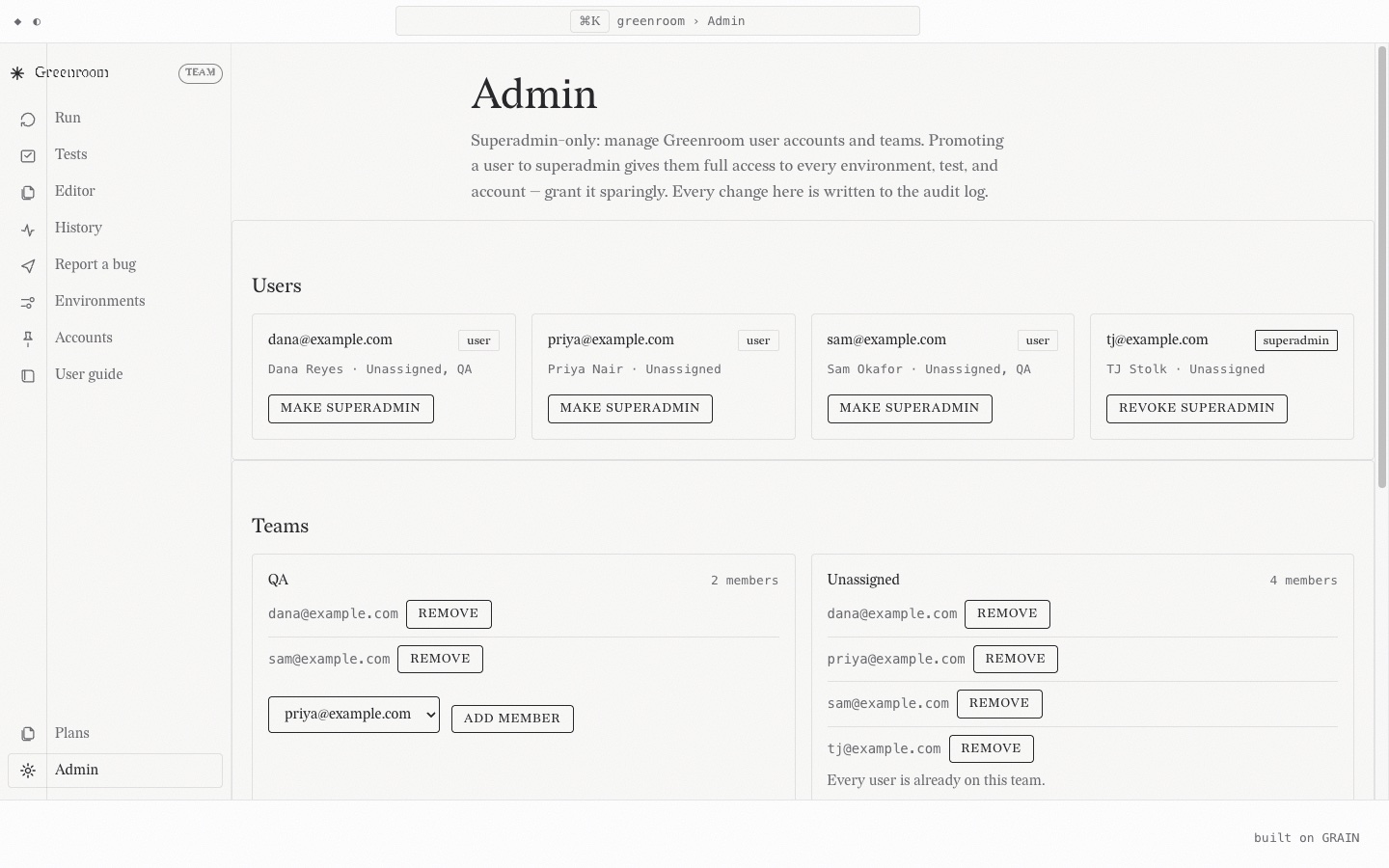
It started as a local tool and still runs that way by default: open the folder in VS Code, use the task, and a dashboard opens on your own machine with no accounts and no database. The same code also runs as one shared instance a company hosts, where the entry point is just a URL. Nobody clones anything and nobody installs Node. That edition adds real accounts, teams, per resource visibility, a server side queue so several people can run checks at once without colliding, and an append only audit log. Which one you get is decided by the environment it boots in, not by a fork.
There is no hosted instance of Greenroom to click, and there will not be one here.
A shared instance belongs on a company's own network behind its own proxy, so the version I could
put on the open internet is the version I said above I would not put there. The way to see it for
yourself is to clone the repo and run npm run demo, which boots the dashboard against
a public practice site with checks already written, no accounts and no setup. The two screens
just below, the ones showing logins and teams, are the hosted edition, which the local demo does
not boot into.
Built on the BREAD stack
Greenroom is a full consumer of the BREAD stack, the same no build stack this site runs on, and that migration is finished rather than in flight now. Every page is a real GRAIN route served from a Bun composition root, the user guide renders through MILL, the plan board mounts straight from PROOF, and the guided tour comes from CRUMB. The hand rolled single page app it grew out of has been deleted, not wrapped.
Honest limits
The hosted edition is built for a company to run on its own network behind a reverse proxy it controls. It refuses to start in an unsafe configuration, walls private runs off from other people, encrypts stored credentials and rate limits sign in attempts, but it has not had an independent security review and I would not put it on the open internet. Signing in with a work account through Entra is designed and not yet built, so people use an email address and a password for now. And the honest headline: the deployment only behaviour is covered by tests that boot a real configured server, but it has not yet run a single day in an actual deployment.
Where it lives
🤖 Built with Claude. I don't prompt and pray, I prompt and prove. Every commit here is co-authored with an AI, on purpose. How I actually work with AI, receipts and all →